Firewall
Choose which apps can go online. An app's first connection stops and asks, and your answer sticks.
Know what's running on your Mac, what starts with it, and which apps can reach your camera, screen and files. Get an alert as soon as any of it changes.
30-day money-back guarantee. One licence for three Macs.
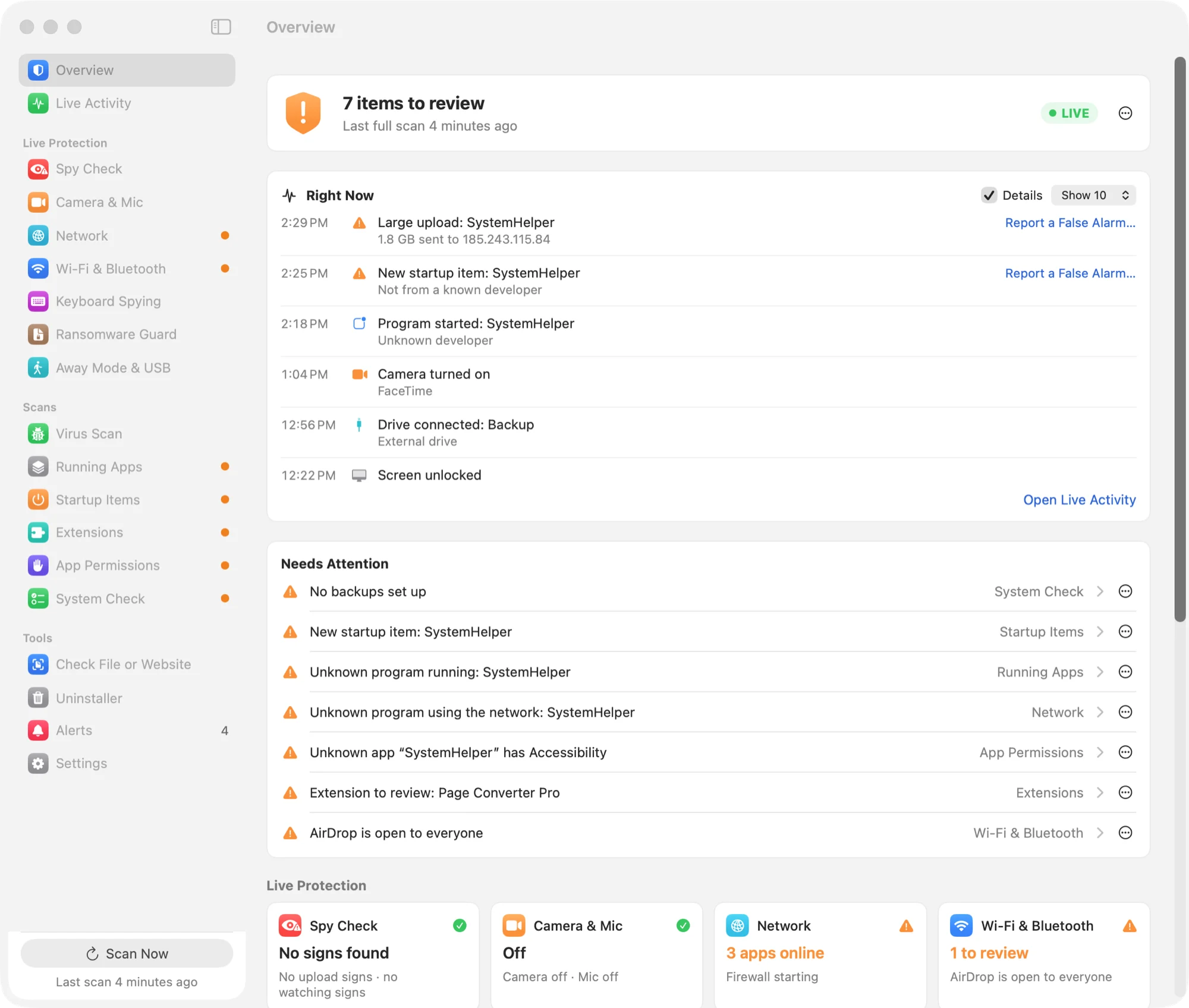
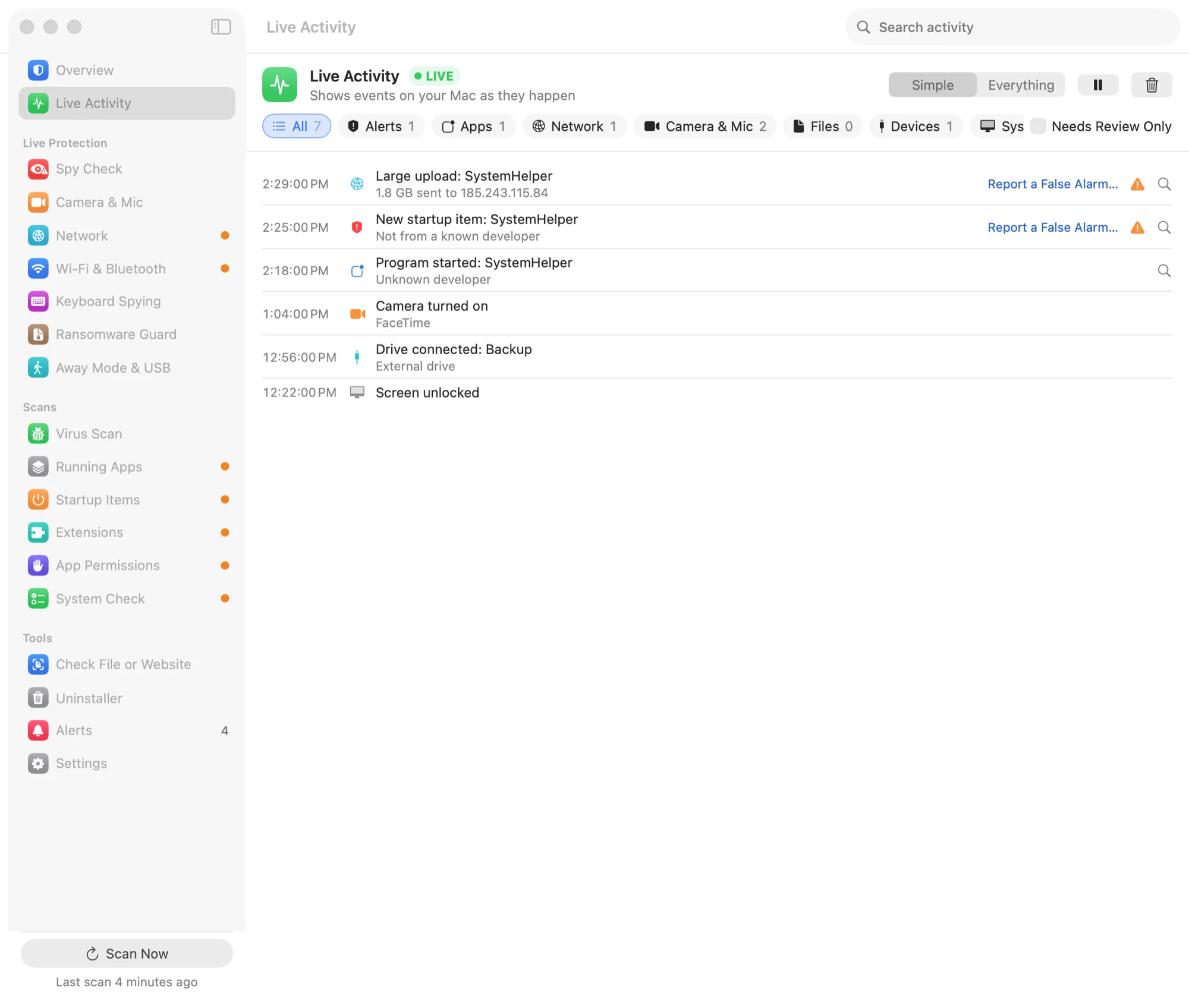
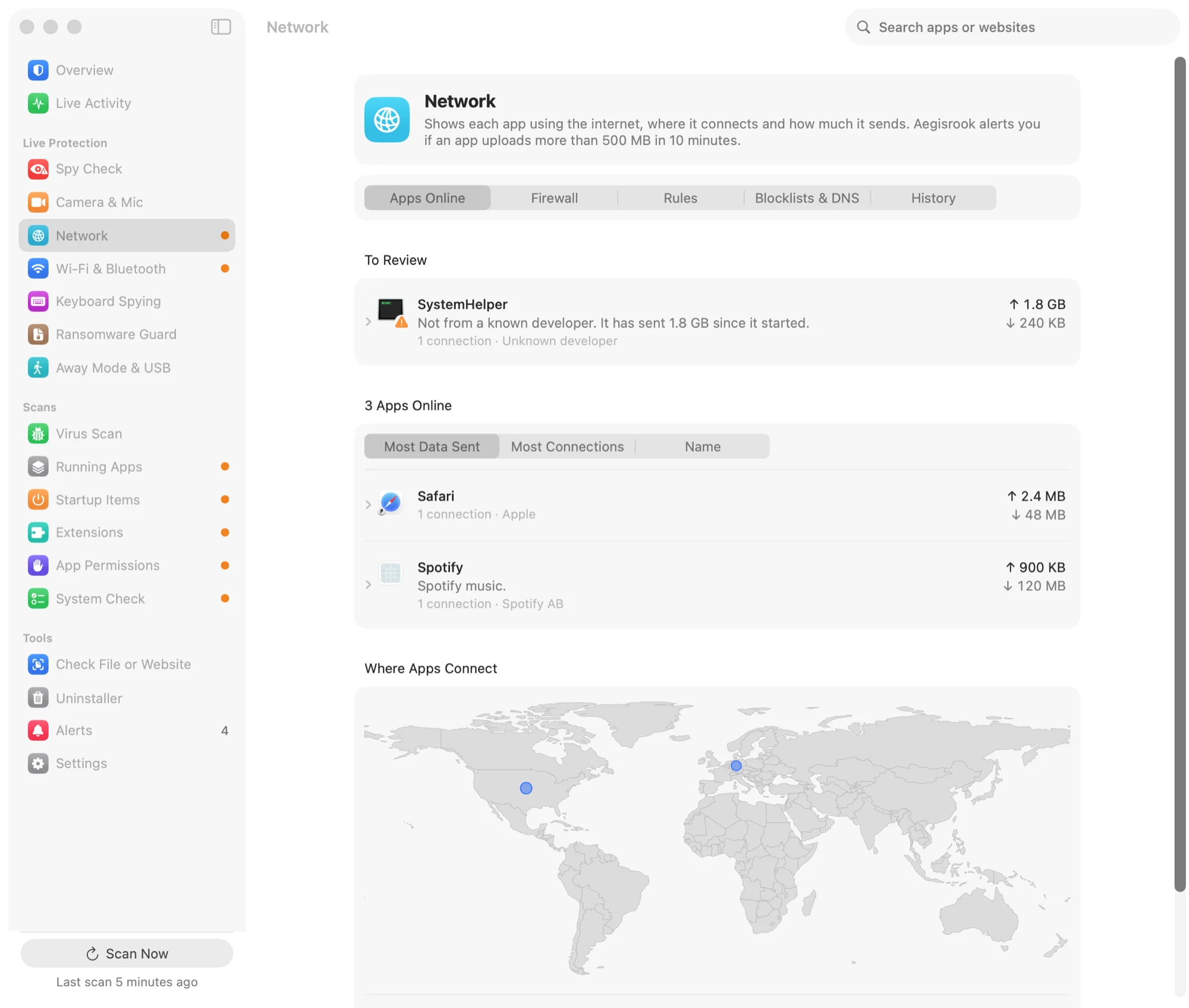
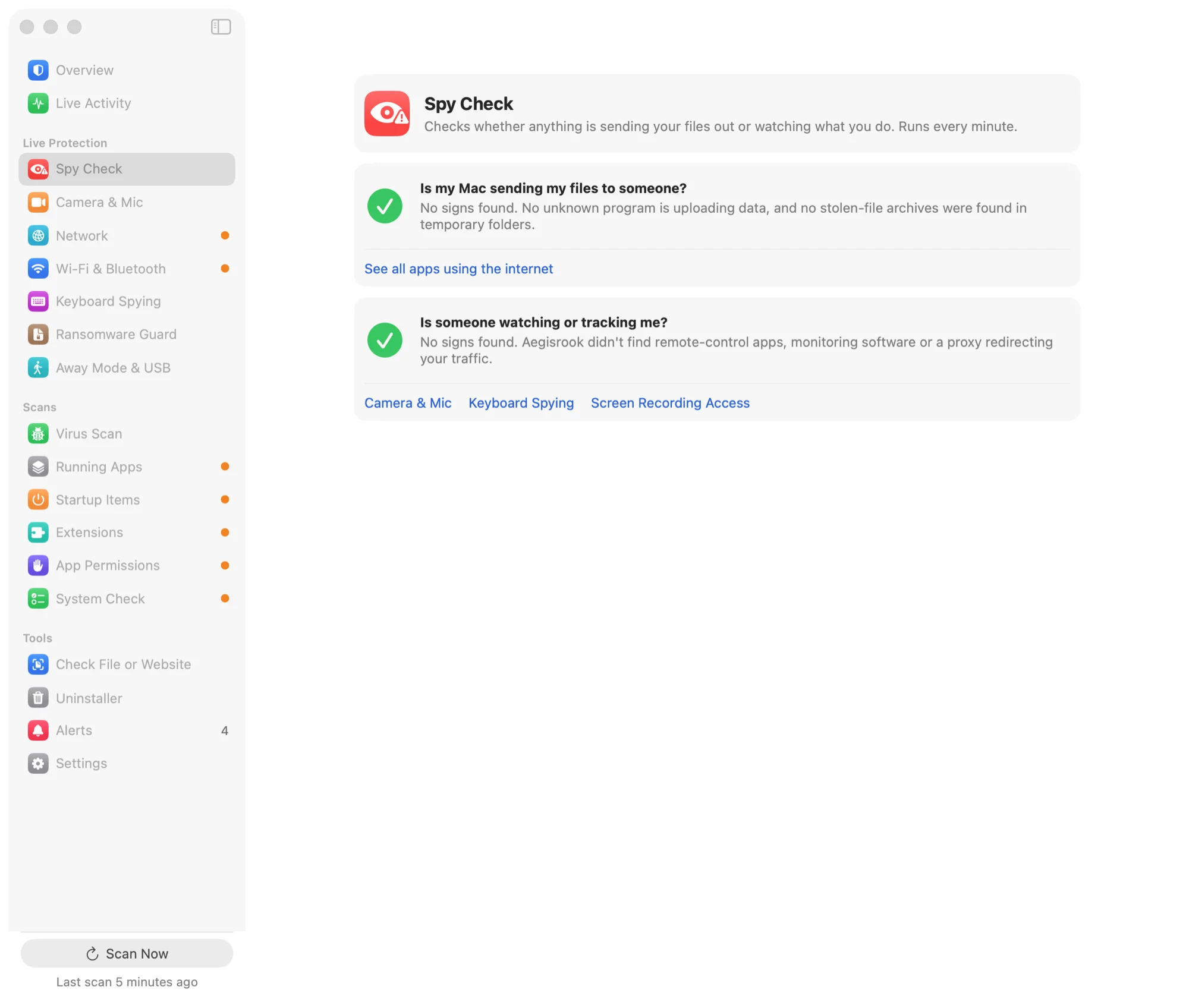
Find hidden startup items, apps that can see your screen, and programs sending your data out.
Choose which apps can go online. An app's first connection stops and asks, and your answer sticks.
Know what runs before you even log in. Login items, launch agents and scheduled jobs in one list, with who signed each.
Know the moment you're on camera. Aegisrook names the app, and keeps a history of when.
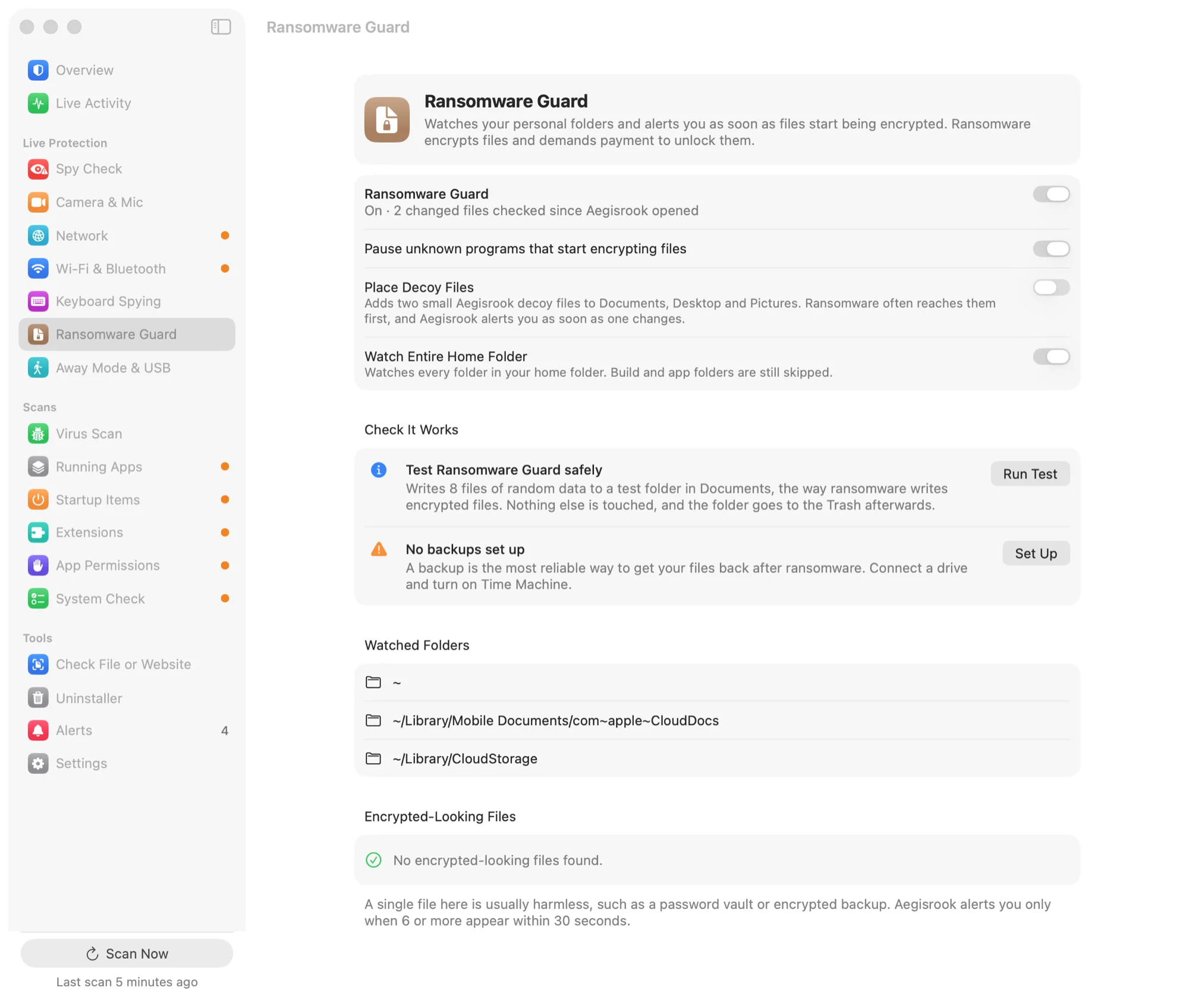
Know fast if something starts encrypting your files. Decoy files sit in your folders and raise an alarm the moment they change.
See who can watch your screen or reach your files, and get told the moment that changes.
Know who can read what you type. Each program is listed with its developer, or marked unknown.
Don't get talked into handing over your Mac. A remote-control app appearing raises an alert that explains the scam.
Know what a download or a link is before you open it. Signature, notarization, blocklists and domain age.
Also included
macOS blocks known malware well. It tells you very little about what your apps are doing.
| Feature | Built into macOS |  Aegisrook Aegisrook |
|---|---|---|
| Blocks known malware | Yes, with XProtect | Same Apple rules, plus VirusTotal and ClamAV if you add them |
| Asks before an app goes online | No. The firewall blocks incoming connections only | Asks first, and remembers your answer |
| Shows where your apps connect | Partly. Activity Monitor shows how much, not where | Every server and country, and how much each app sends |
| Tells you about new startup items | Partly. A notification when one is added | Who made it, keep or remove it, and a history |
| Tells you when the camera or mic turns on | Partly. A coloured dot while it's on | Names the app, and keeps a history |
| Warns when an app gets access to your screen or files | Partly. Listed in System Settings | An alert as soon as access is given |
| Explains what it finds | No | Every alert: what it is, who made it, the usual innocent reason |
Aegisrook isn't an antivirus. These are the threats it isn't designed to detect.
It uses Apple's own malware rules, plus VirusTotal and ClamAV if you add them. Brand-new malware can get past all three.
If you type your password into a convincing fake window, or install what a scammer sends you, it may not be able to help.
It won't see what you paste into Terminal. It sees what happens next: a new startup item, a new permission, an upload.
Apps signed by a known developer count as trusted, and attackers sometimes sign malware with stolen certificates.
Some checks run about once a minute, so something that starts and stops within seconds can slip past.
It sees that a program did something, not why. Some alerts will be harmless, and each one says when that's likely.
Aegisrook shows what your Mac is doing: which programs are running, which apps connect to the internet and where, what starts automatically, when the camera or microphone turns on, and which apps can see your screen, keyboard or files. It alerts you when any of that changes and asks before it blocks or removes anything.
No. Its malware checks use Apple's own XProtect rules, plus VirusTotal and ClamAV if you add them. The limits page lists what it doesn't catch.
USD $30 once, with no subscription. One licence covers up to three Macs you own, and there's a 30-day money-back guarantee.
Macs running macOS 14 (Sonoma) or later, with Apple silicon or Intel processors.
No. There's no account, and what it finds stays on your Mac. It contacts outside services only for updates, blocklists and optional checks you turn on. See privacy.
It's signed by its developer and notarized by Apple, so macOS checks it before it first opens. Features that need deeper access, such as the firewall, wait for you to approve them in System Settings.
Pay once and keep it for good. No subscription.
30-day money-back guarantee. One licence for three Macs.