Wi-Fi, VPN and trackers
Check your Wi-Fi and VPN are protecting you
Know whether the network you're on is set up safely, whether your VPN covers all your traffic, and whether an unknown tracker is moving with you.
30-day money-back guarantee. One licence for three Macs.
What it checks
The network settings that decide who can see or redirect your traffic.
Your network
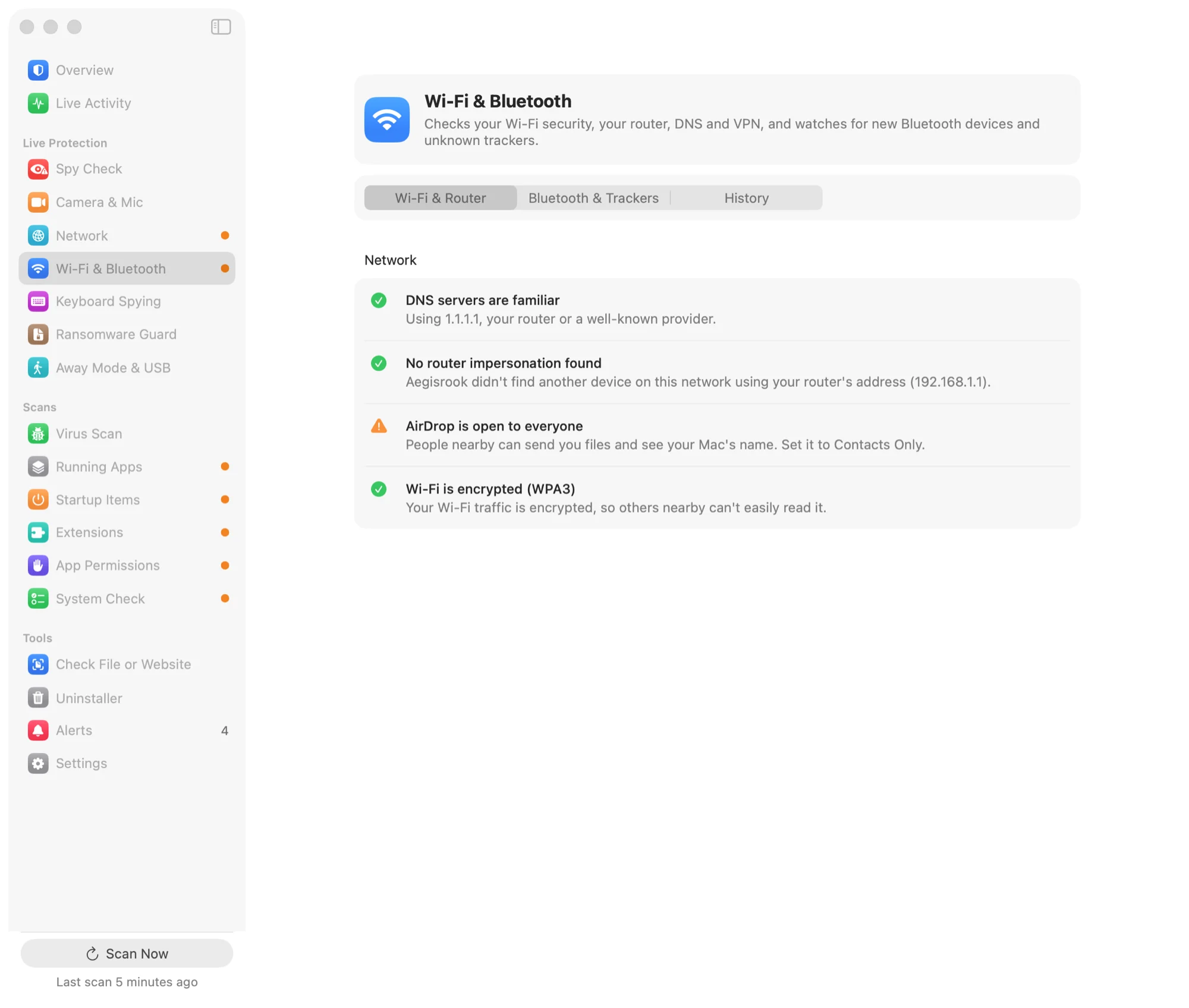
Whether the Wi-Fi you've joined is encrypted, which DNS servers your Mac is using, and whether anything on the network is pretending to be the router. Open networks are flagged, with what that means in practice.
Your VPN
Whether a VPN is on and which one, and whether it carries all your traffic or only some of it. Works with the VPNs built into macOS and with VPN apps.
It also checks for the two common leaks: website lookups going to your network's DNS instead of through the VPN, and IPv6 traffic going around it.
When the VPN drops
If your VPN disconnects and stays off, Aegisrook tells you. On public Wi-Fi, that alert is a warning. Brief drops, such as switching servers, are ignored.
AirDrop and trackers
Whether AirDrop is open to everyone, and an alert if an unknown AirTag, Tile or SmartTag stays near you in more than one place.
Limitations
These checks read your Mac's own network settings.
Not a VPN
Aegisrook checks the VPN you use. It doesn't provide one.
Your Mac only
It doesn't scan other devices on your network or change your router's settings.
Trackers need time
A tracker is only flagged after it has stayed near you for a while and in more than one place, to avoid alerts about other people's devices passing by.
Encrypted DNS counts as private
If your Mac uses encrypted DNS, lookups outside the VPN aren't treated as a leak, because the network can't read them.
Good to know
No VPN?
That's fine at home. On public Wi-Fi, Aegisrook suggests turning one on.
Checked on your Mac
No test traffic is sent to an outside server to check for leaks. See privacy.
Quiet unless it matters
A leak has to show up more than once before you're told, so a VPN that's still connecting doesn't raise an alarm.
Wi-Fi and VPN questions
How do I know if my VPN is leaking on a Mac?
Check where your website lookups (DNS) and IPv6 traffic go while the VPN is on. A leak is when lookups go to your network's DNS servers instead of through the VPN, or when IPv6 traffic goes around a VPN that only covers IPv4. Aegisrook checks both from your Mac's own network settings, without sending test traffic anywhere.
Does my VPN cover all my traffic?
Not always. Some VPNs, and some VPN settings, carry only part of your traffic. Aegisrook checks where ordinary internet traffic actually goes and tells you whether the VPN covers all of it or only some.
Is public Wi-Fi safe to use on a Mac?
Mostly, for websites that use HTTPS, but an open network lets others nearby see which sites you look up. A VPN covers that. Aegisrook warns you when you're on Wi-Fi with no password and no VPN.
Does Aegisrook include a VPN?
No. It checks the VPN you already use, whether it's an app or one built into macOS, and tells you if it drops or leaks.
Can Aegisrook tell if an AirTag is following me?
It alerts you when an unknown AirTag, Tile or SmartTag stays near you in more than one place. It waits until a tracker has stayed with you for a while, so other people's devices passing by don't cause alerts.
Check the network you're on
Pay once and keep it for good.
Not for you? Get a full refund within 30 days.
30-day money-back guarantee. One licence for three Macs.