Know who can read your typing
Every program that can read the keyboard, with who made it. A new one from an unknown developer raises an alert.
Firewall, startup items, camera and mic alerts, ransomware warnings and more. Each one explains what it found in plain words.
Money back within 30 days.
One licence, three Macs.
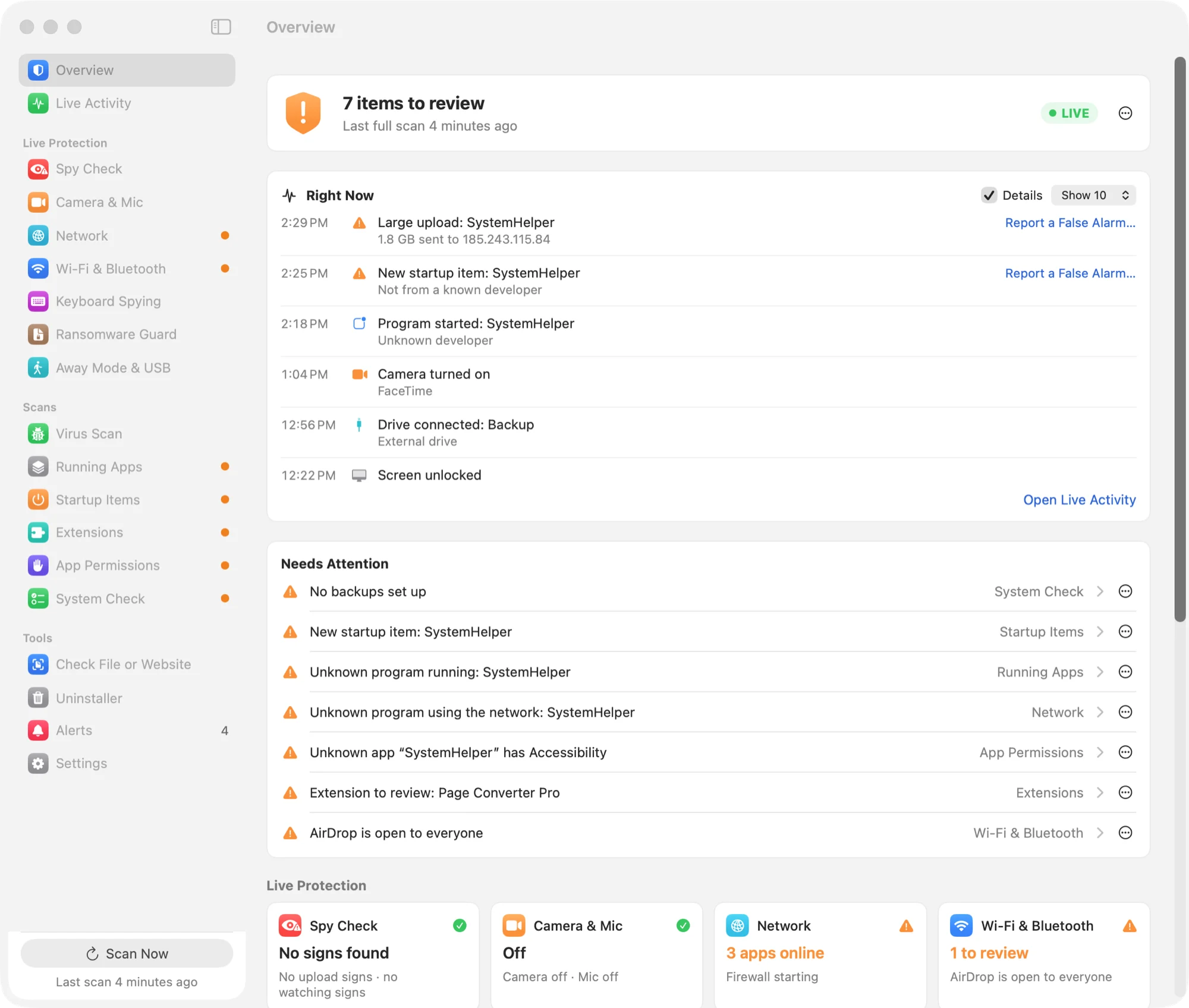
Select a feature to read more about it.
Watches your Mac all the time and tells you as soon as something changes.
Looks through what's already on your Mac, any time you ask.
Tools for checking files, links and apps.
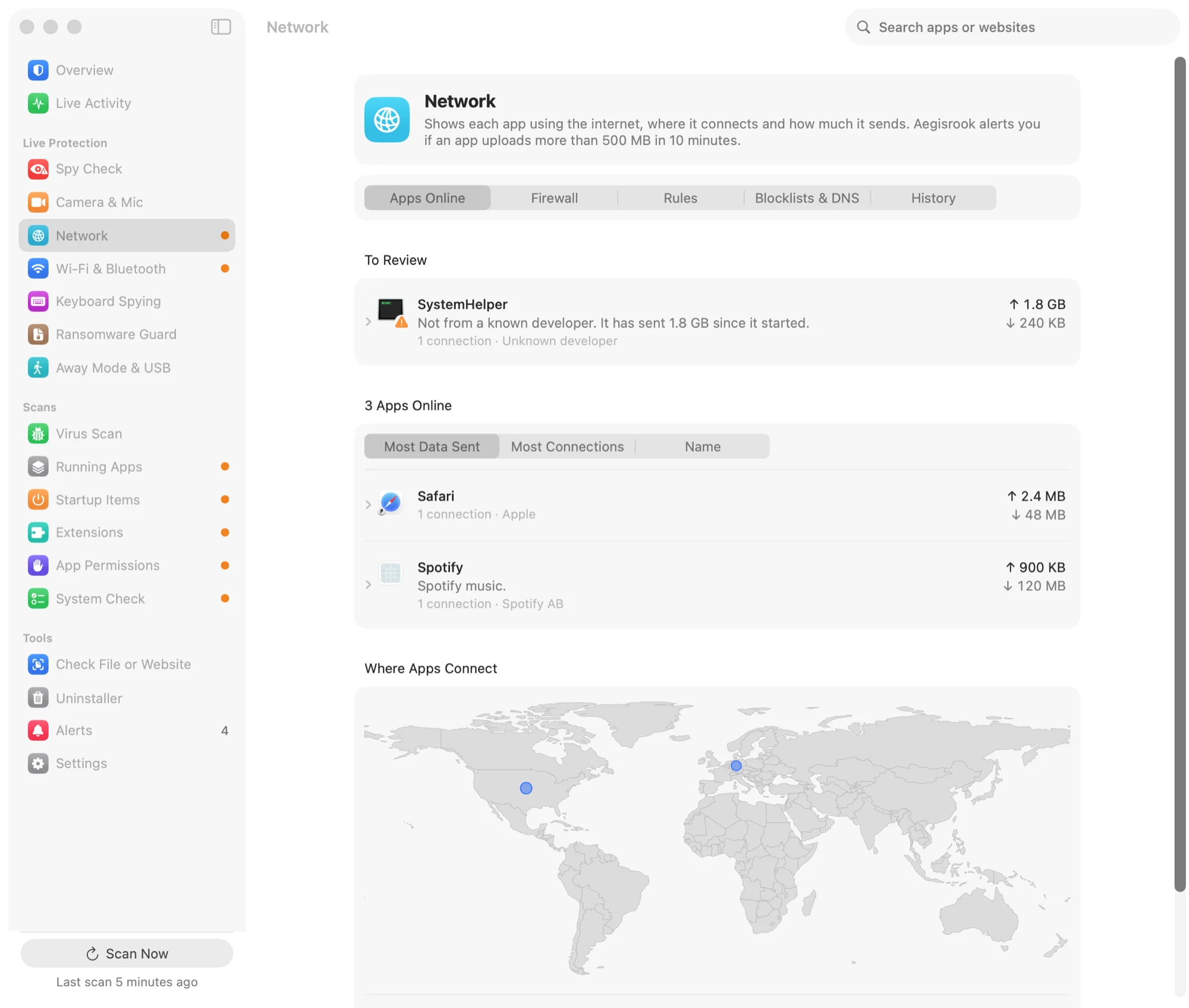
The first time an app tries to reach the internet, Aegisrook stops it and asks. Your answer sticks, for the whole app or just one website.
See which apps are online, how much they send, and which countries their servers are in. Add blocklists of known malware and phishing sites with one switch.
Some Apple system traffic doesn't pass through any app firewall, so Aegisrook can't see it.
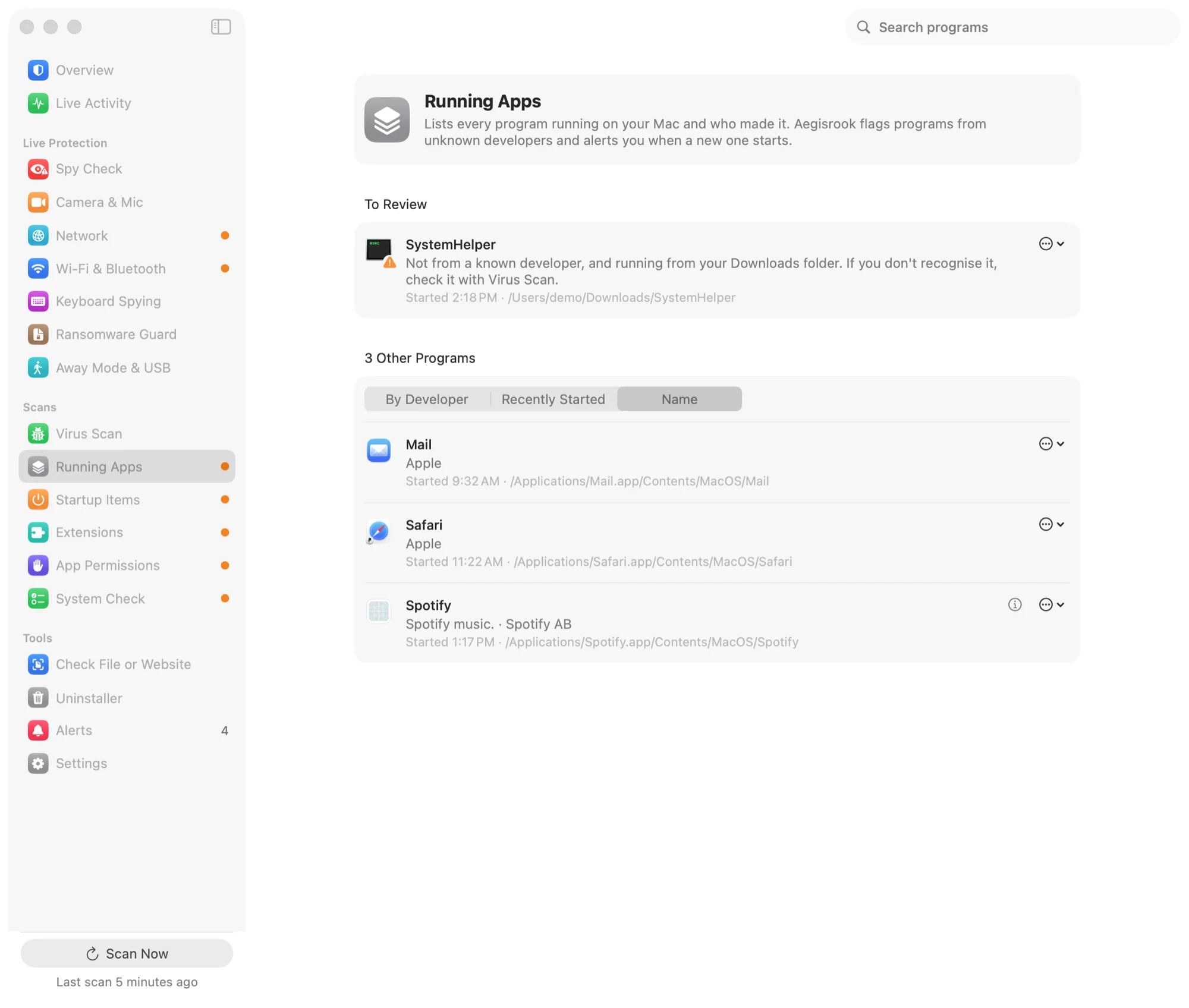
Every program running right now, with who made it. The ones from unknown developers are marked.
Everything set to start with your Mac, in one list: login items, background items and scheduled jobs. When something new appears, you're told who made it, and you choose to keep it or move it to the Trash.
Removing a startup item stops a program starting by itself. It doesn't uninstall the program.
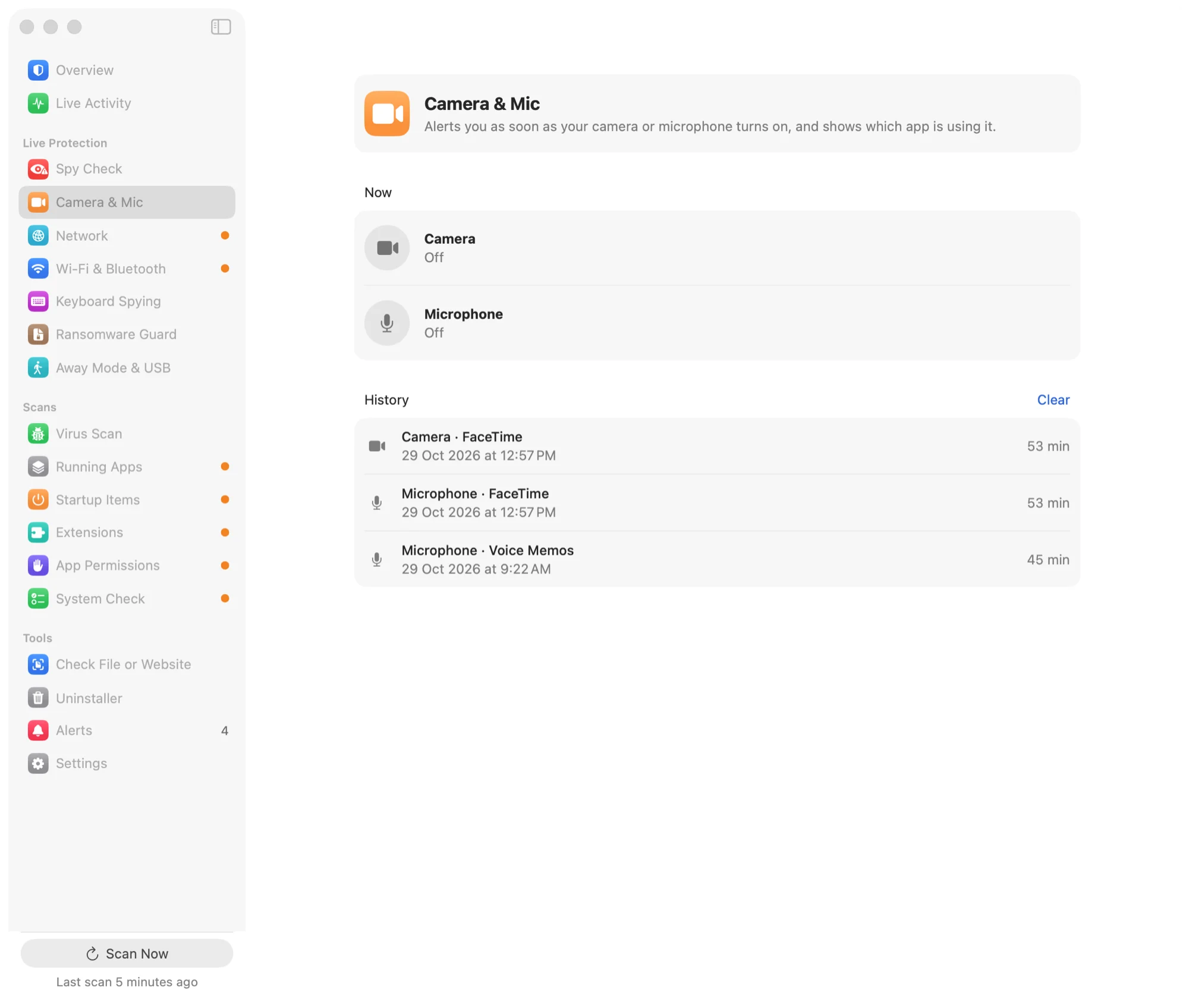
An alert names the app as soon as the camera or microphone turns on, and a history shows which apps used them, and when.
macOS doesn't always say which app turned the camera on. When it doesn't, Aegisrook says so instead of guessing.
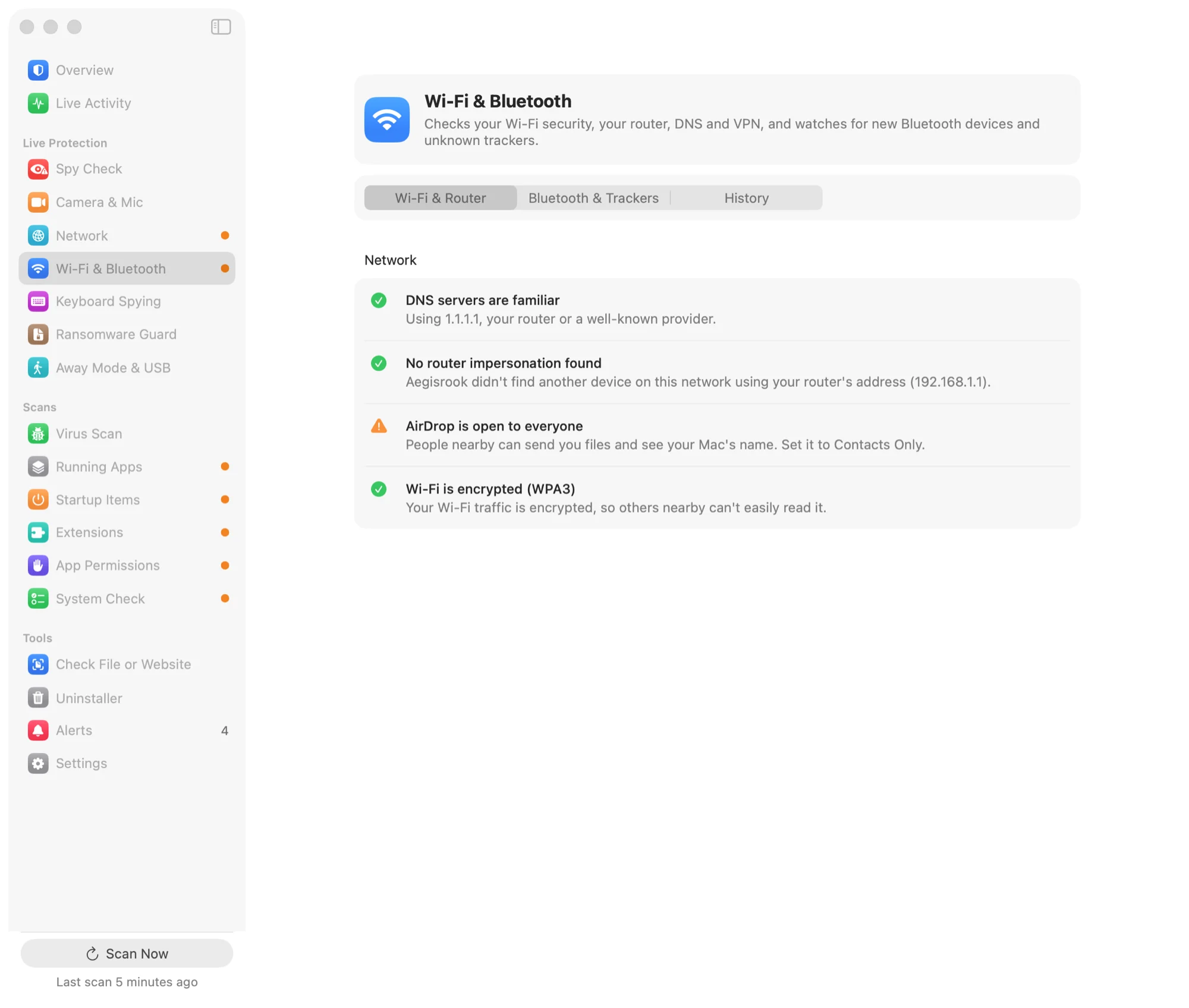
Spy Check looks for files leaving your Mac, apps that can see your screen or read what you type, and traffic being sent somewhere it shouldn't.
Each answer says what was checked. When it can't tell, it says that too.
Text expanders and window managers need keyboard access for good reasons. Each one is listed with who signed it, so you can tell them apart.
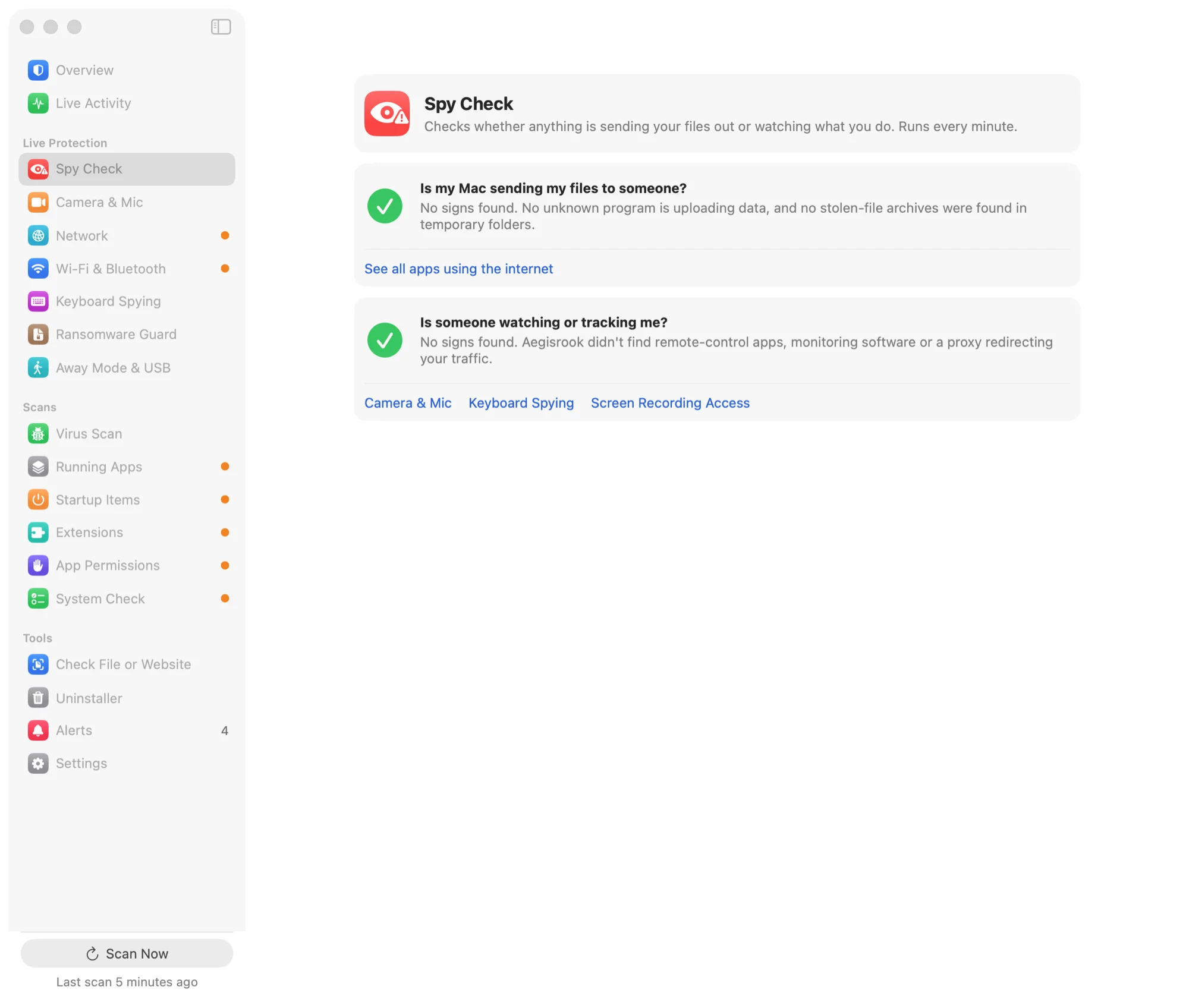
Aegisrook watches your personal folders for files being encrypted, and optional decoy files raise the alarm the moment they change. It can also pause the program doing it.
Not sure it works on your Mac? Run the safe test: it writes a few harmless files the way ransomware would, shows you that they were caught, then cleans up.
A backup is still the only reliable answer to ransomware. This buys you time; it doesn't replace Time Machine.
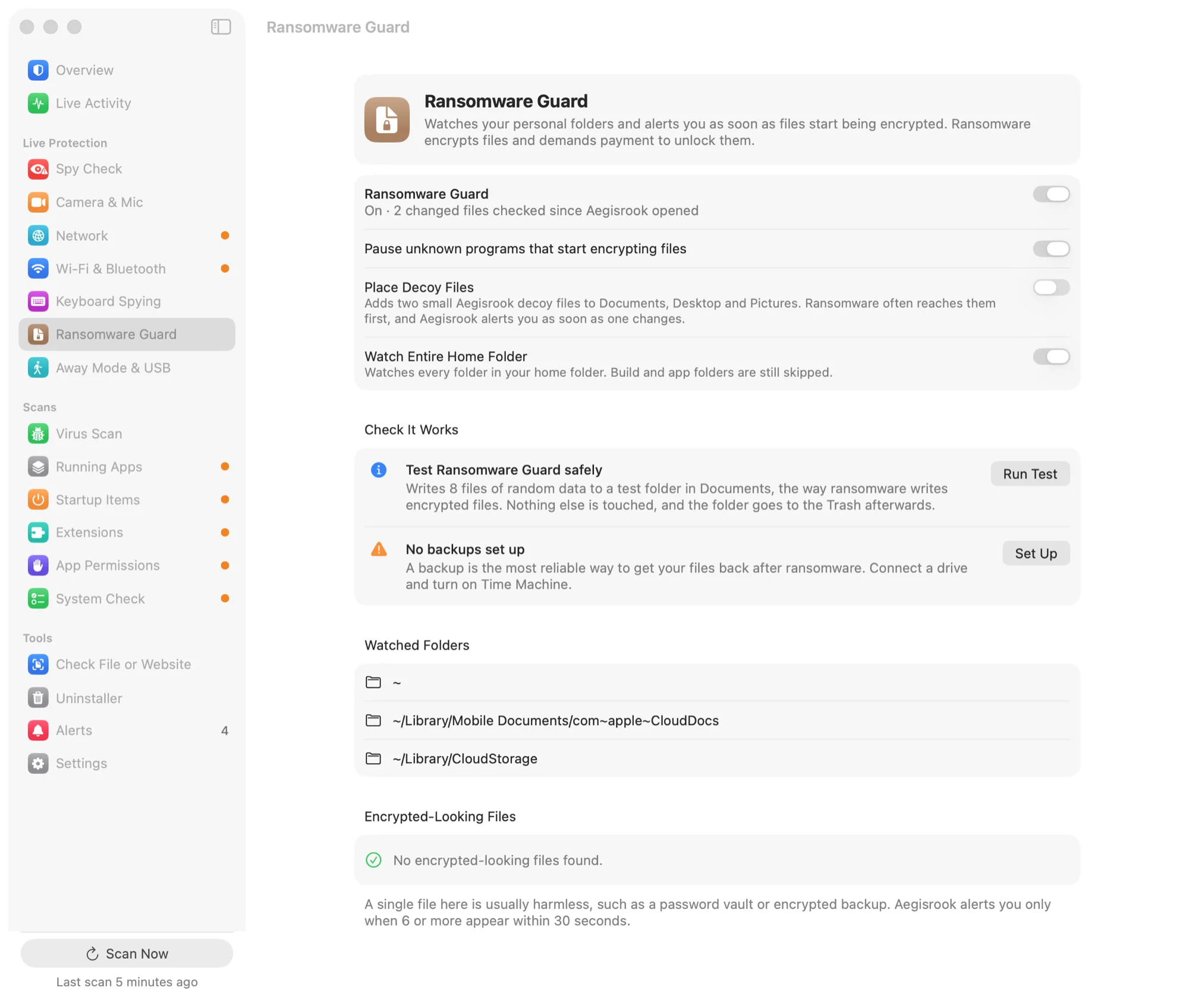
Scan your Mac with Apple's own malware rules, and add VirusTotal and ClamAV if you want a second and third opinion. Each one explains what it is, what it checks and what leaves your Mac: for VirusTotal, only a file's fingerprint, never the file.
Aegisrook isn't an antivirus engine. Brand-new or targeted malware can get past all three.
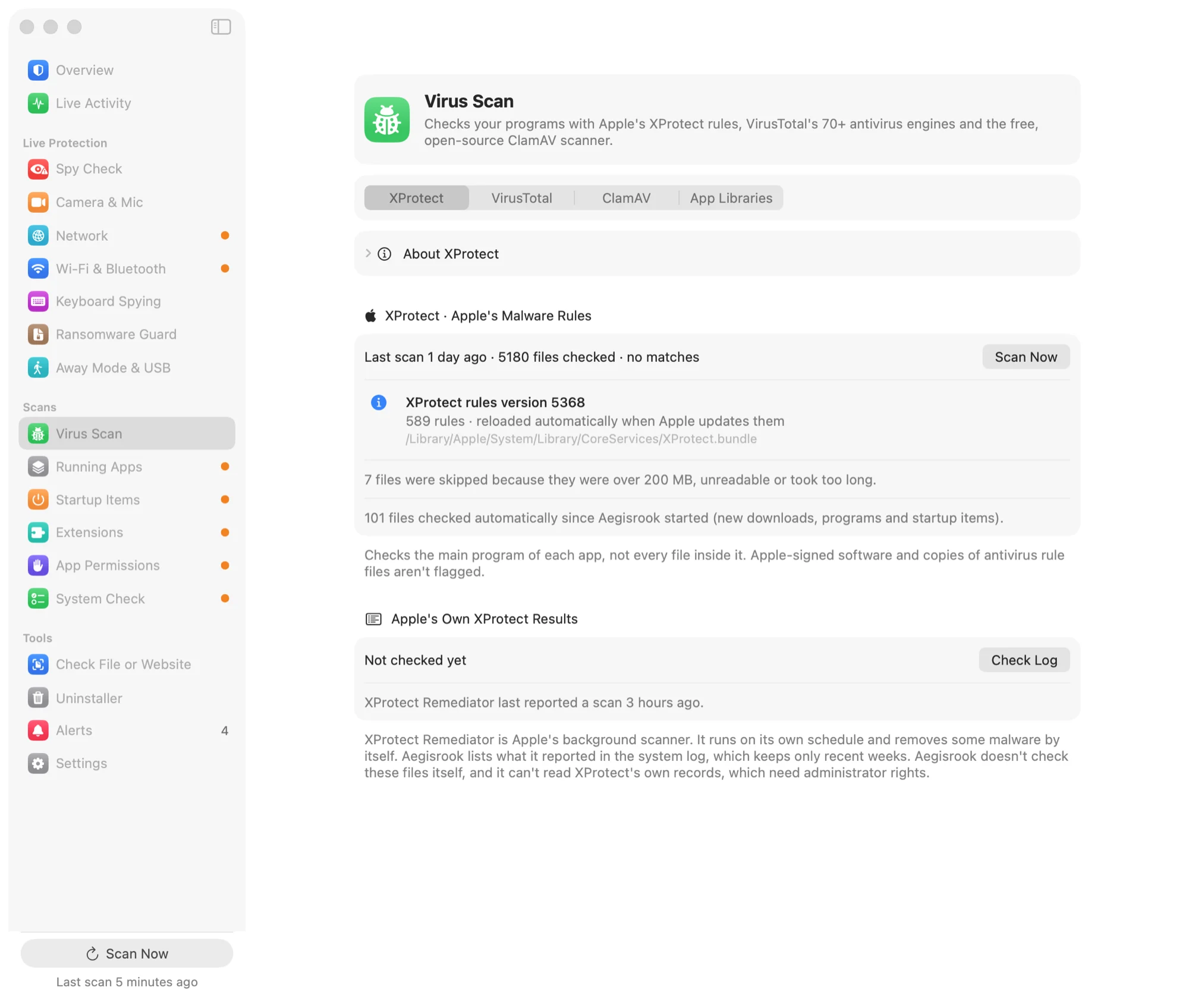
See the networks you've joined, with checks on your router and DNS. Get an alert if an unknown AirTag or tracker is moving with you.
Using a VPN? Aegisrook checks that it's on, that your website lookups go through it rather than leaking to the network, and tells you if it disconnects while you're on public Wi-Fi.
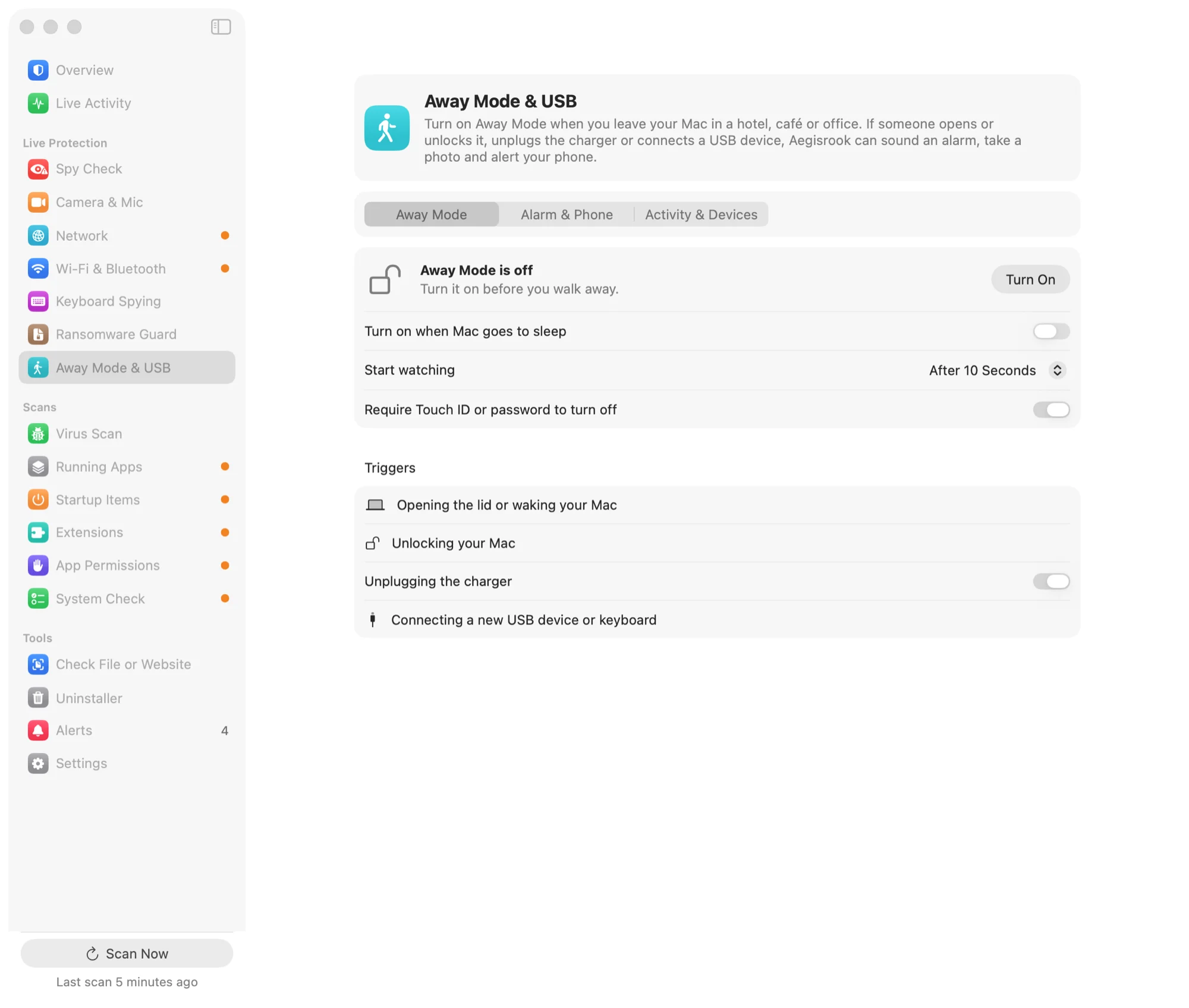
Turn on Away Mode when you step out. When you come back, you'll see whether your Mac was opened or anything was plugged in.
Additional tools included with every licence.
Every program that can read the keyboard, with who made it. A new one from an unknown developer raises an alert.
Live Activity lists apps starting, connections, camera use, downloads and devices as they happen. Simple shows only what's worth a look.
Finds apps that load code from places another program could write to, and code that was swapped after the app was signed.
Removes an app along with the settings, caches and helpers it leaves behind. Everything goes to the Trash, so you can put it back.
Which apps can use the camera, see your screen or reach your files, and an alert when one is newly given access.
Browser extensions, system extensions, and the tools AI apps such as Claude and Cursor can run. One that downloads and runs code is flagged.
Installing AnyDesk or TeamViewer raises an alert that explains the tech-support scam these apps are used for.
Who signed a file and whether Apple notarized it. For a website: blocklists, look-alike names and how new the domain is.
Common macOS programs explained: what each is, who makes it, and what happens if you block it.
FileVault, the macOS firewall, Gatekeeper, software updates and backups, each with what to do if it's off.
A short note once a week, and an export of the full history whenever you want it.
On every alert. It writes the report on your Mac, and you read it before anything is sent.
Pay once and keep it for good.
Not for you? Get a full refund within 30 days.