Tells you how sure it is
An alert means worth a look, not “your Mac is infected”.
No security app catches everything. Here is exactly what to rely on Aegisrook for, and what not to.
Money back within 30 days.
One licence, three Macs.
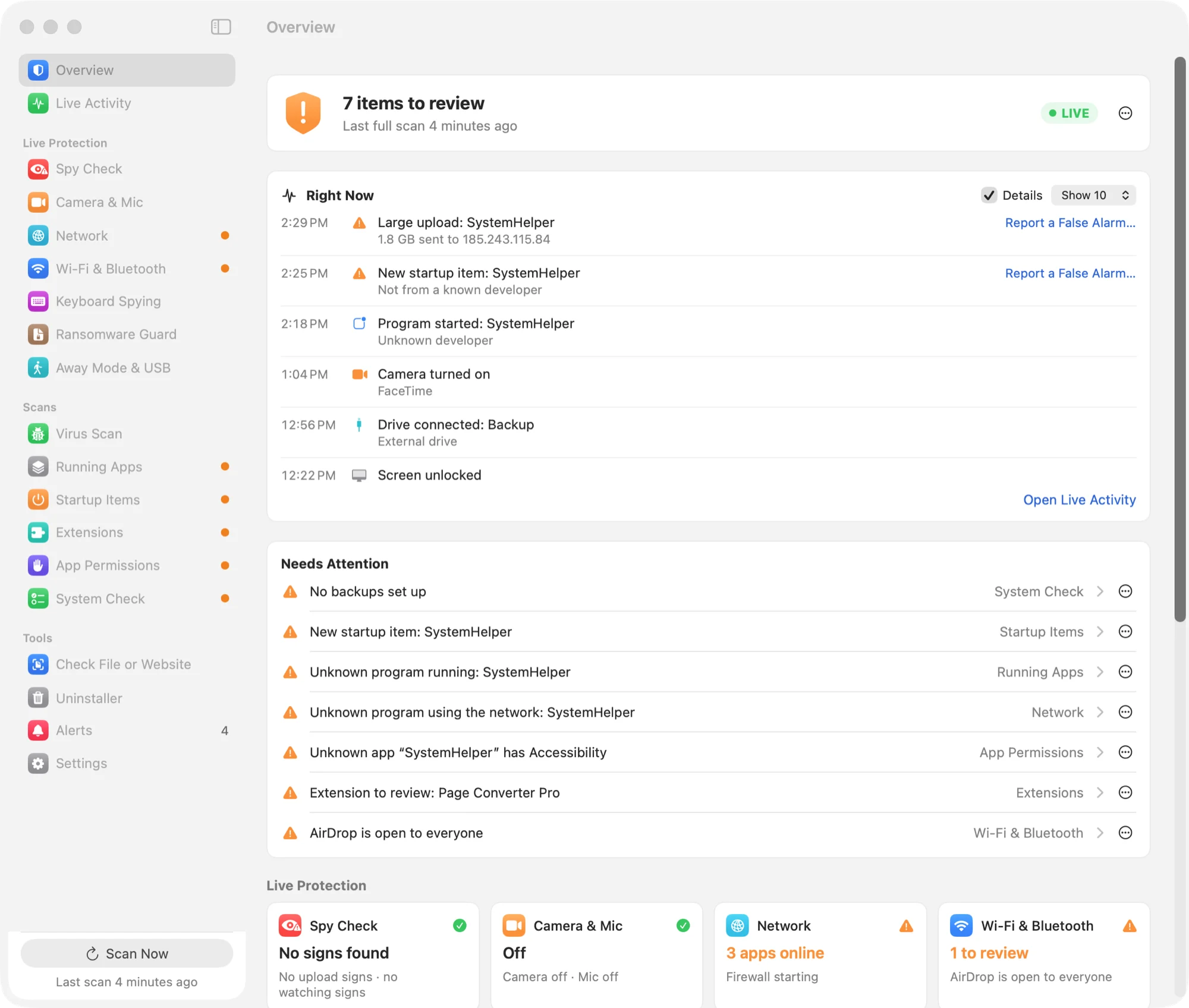
Each alert explains what was found, and nothing changes without your approval.
An alert means worth a look, not “your Mac is infected”.
Which program it is, who made it, and the usual innocent reason it might be there.
Nothing is blocked or removed without you. Removed items go to the Trash, so you can get them back.
It won't ask you twice. You can review and change any decision in Settings.
FileVault, the macOS firewall, Gatekeeper and updates, with what to do if one is off.
No account and no tracking. The privacy page lists every service it ever contacts.
Aegisrook isn't an antivirus. These are the threats it isn't designed to detect.
Its malware checks use Apple's own XProtect rules, plus VirusTotal and ClamAV if you add them. Brand-new or targeted malware can get past all three.
If you type your password into a convincing fake window, or install what a scammer sends you, it may not be able to help.
It won't see what you paste into Terminal, or know a password window is fake. It sees what happens next: a new startup item, a new permission, an upload.
Apps signed by a known developer count as trusted, and attackers sometimes sign malware with stolen certificates.
Some checks run about once a minute, so something that starts and stops within seconds can slip past.
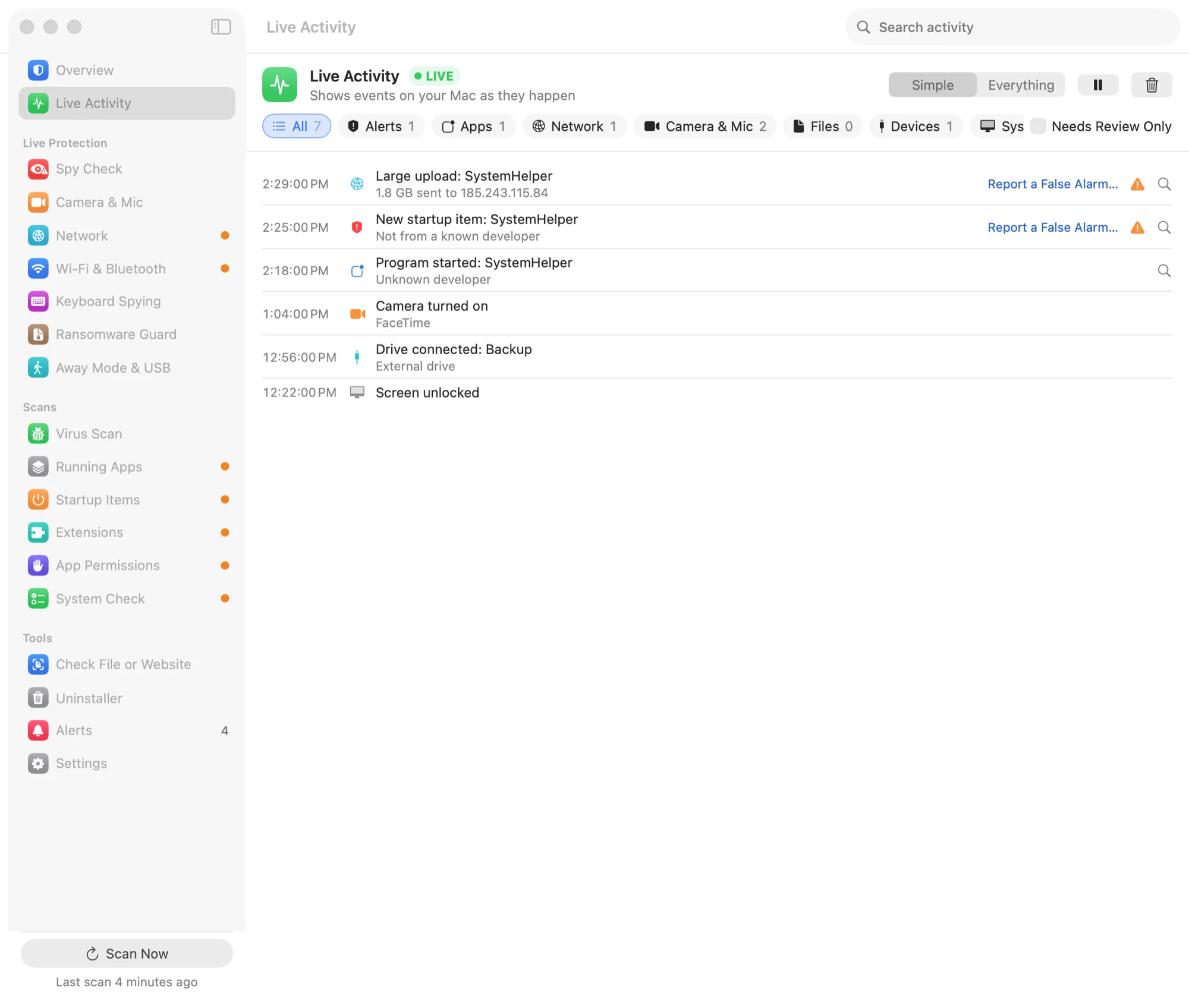
It sees that a program did something, not why. Some alerts will be harmless, and each one says when that's likely.
Parts of macOS don't pass through any app firewall, so those connections won't appear.
It says nothing about your phone, your router, or anything else on your Wi-Fi.
Some alerts will turn out to be harmless. That's most likely in the first few weeks, while Aegisrook learns what's normal on your Mac, and on developers' Macs, which do unusual things all day.
A couple of things help. Report a False Alarm on any alert writes a short report and opens an email, so the check can be fixed for everyone. And marking an item as known stops it asking again.
If you have real reason to believe someone is after you personally, such as a journalist, an activist or someone in a dispute, talk to a security professional.
No consumer app is a substitute for that, and Aegisrook won't pretend to be.
Try it for 30 days. If Aegisrook isn't right for you, contact us within 30 days for a full refund.