Camera and mic
Know when your camera or microphone turns on
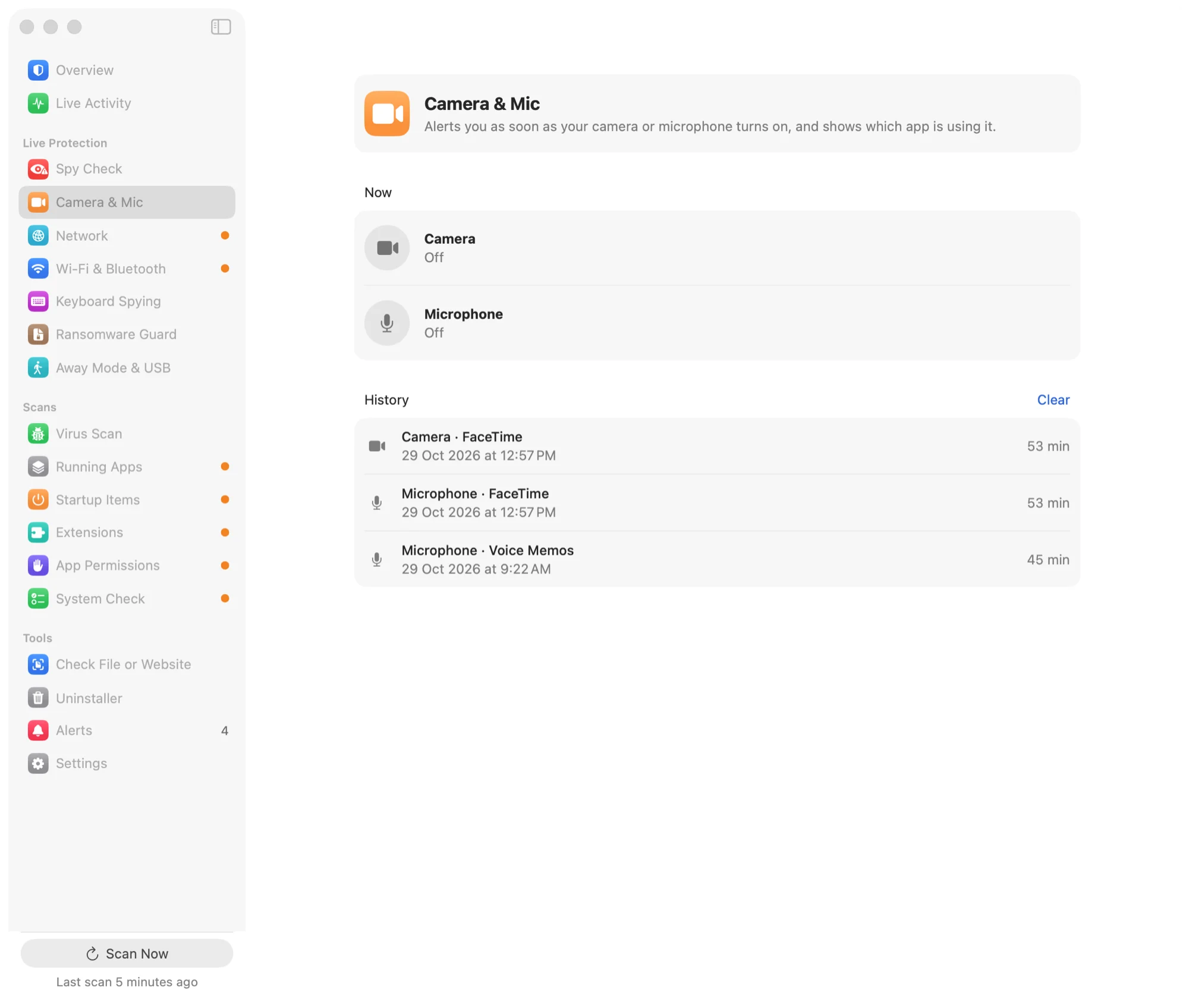
An alert as soon as either one starts, with the app that's using it, and a history of every time they were on and for how long.
30-day money-back guarantee. One licence for three Macs.
More than the green dot
macOS shows a light while the camera is on. It doesn't keep a record.
An alert that names the app
When the camera or microphone turns on, Aegisrook shows which app is using it. An app you'd expect, such as FaceTime or Zoom, is a quick glance. One you wouldn't is worth a closer look.
macOS doesn't always say which app turned the camera on. When it doesn't, Aegisrook says so instead of guessing.
A history you can check later
Every session is kept: which device, which app, when it started and how long it lasted. If the green light came on while you were out of the room, the history shows what it was.
Which apps are allowed to use them
The App Permissions page lists every app you've given camera or microphone access, with the date you allowed it, and links to the right place in System Settings to take it away.
A sign in the menu bar
While the camera or microphone is in use, the Aegisrook icon in the menu bar shows a small dot, and its menu names the app.
Limitations
Aegisrook reports what macOS reports. It can't see past that.
The app isn't always known
macOS names the app for the microphone more reliably than for the camera. When there's no name, the alert says the camera is on without naming an app.
External cameras and microphones
These are covered when macOS reports them in use the same way as the built-in ones.
Not a blocker
Aegisrook tells you the camera is on. To stop an app using it, take away its permission in System Settings.
Good to know
Nothing is recorded
Aegisrook notes that the camera or microphone was on. It never captures video or sound.
Kept on your Mac
The history stays on your Mac, for as long as you choose in Settings. See privacy.
Also watches the keyboard
Programs that can read what you type are listed on the Keyboard Spying page.
Camera and microphone questions
How do I see which app is using my camera on a Mac?
Open Control Centre in the menu bar while the camera is on: macOS names the apps using the camera and microphone there. It doesn't keep a record, so Aegisrook adds an alert when either turns on and a history of which app used them and for how long.
Can my Mac's camera turn on without the green light?
Apple designs Mac cameras so the green light comes on whenever the built-in camera is active. The more realistic risk is an app you've given camera access using it when you don't expect it, which is what an alert and a history help you spot.
Does Aegisrook record video or sound?
No. It notes that the camera or microphone was on, which app was using it and for how long. It never captures images or audio.
How do I stop an app from using my camera or microphone?
Remove its permission in System Settings › Privacy & Security › Camera or Microphone. Aegisrook's App Permissions page lists every app with access and links to that setting.
Does it work with external webcams and microphones?
Yes, when macOS reports them in use the same way as the built-in ones. If macOS doesn't say which app is using a device, Aegisrook says so rather than guessing.
Know when your camera turns on
Pay once and keep it for good.
Not for you? Get a full refund within 30 days.
30-day money-back guarantee. One licence for three Macs.